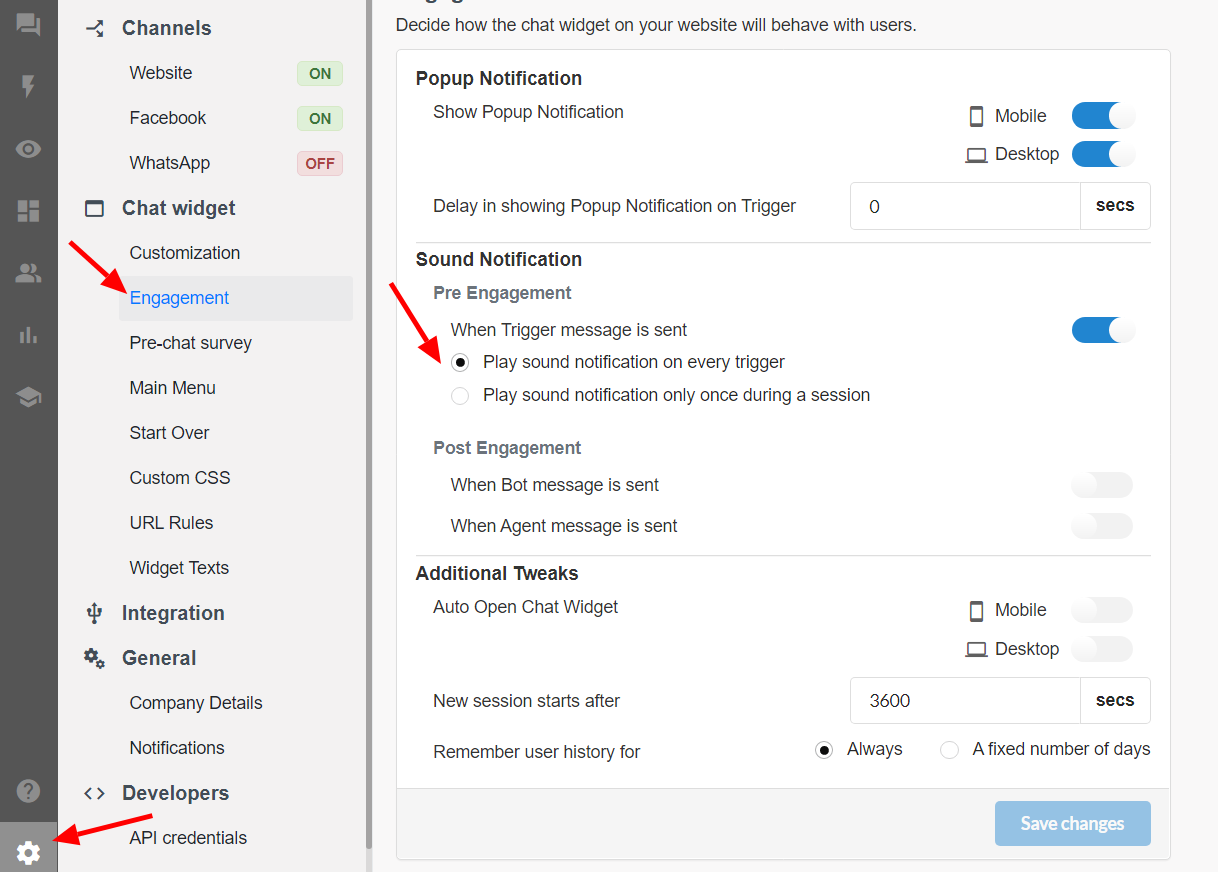
Chatbot sound alert frequency settings
1603102200001
What’s the Problem?
Sound notification for visitor was coming every time when the bot sends a trigger message.
What’s New?
To configure the chabot sound alert frequency, a new settings have been added in Engagement Behavior section in the platform settings.
You get two options to choose from namely:
-Play sound notification on every trigger (sound notification comes every time trigger comes during the session)
-Play sound notification only once during a session (sound notification comes only once in a session even if trigger comes again)
How to Configure the Settings?
To configure the sound settings, follow these steps:
-Go to Settings
-Under Chat Widget section select** Engagement**
-Choose the relevant option in Pre Engagement Sound notification
-Save your changes