
Engagement Volume Export
1600078320001
New
Feature
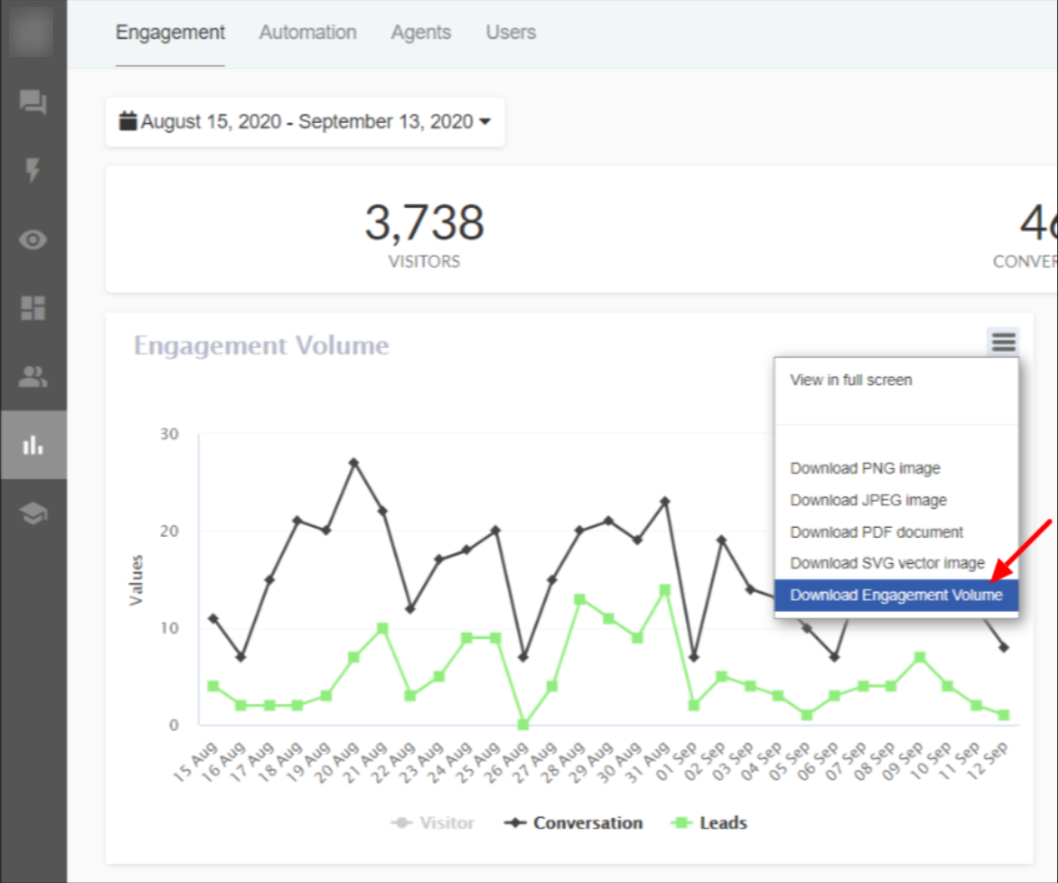
What’s the Problem?
Our platform send daily engagement reports to our clients through emails with details about number of conversations on a particular day, leads generated and visitors on your website.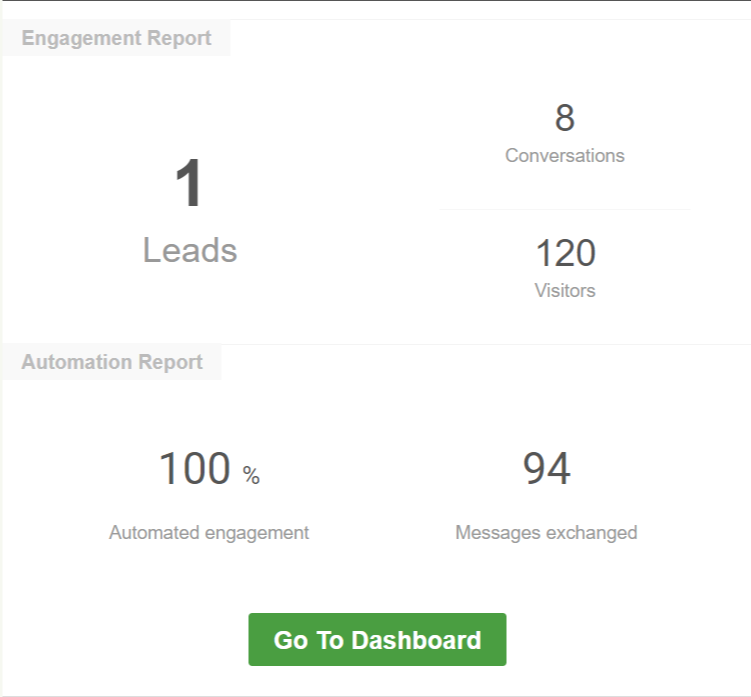
But there was not any way to access these reports for a previous date from the platform.
What’s New?
Now our clients can export and download engagement volume between a range of dates from the platform itself in .xlsx format.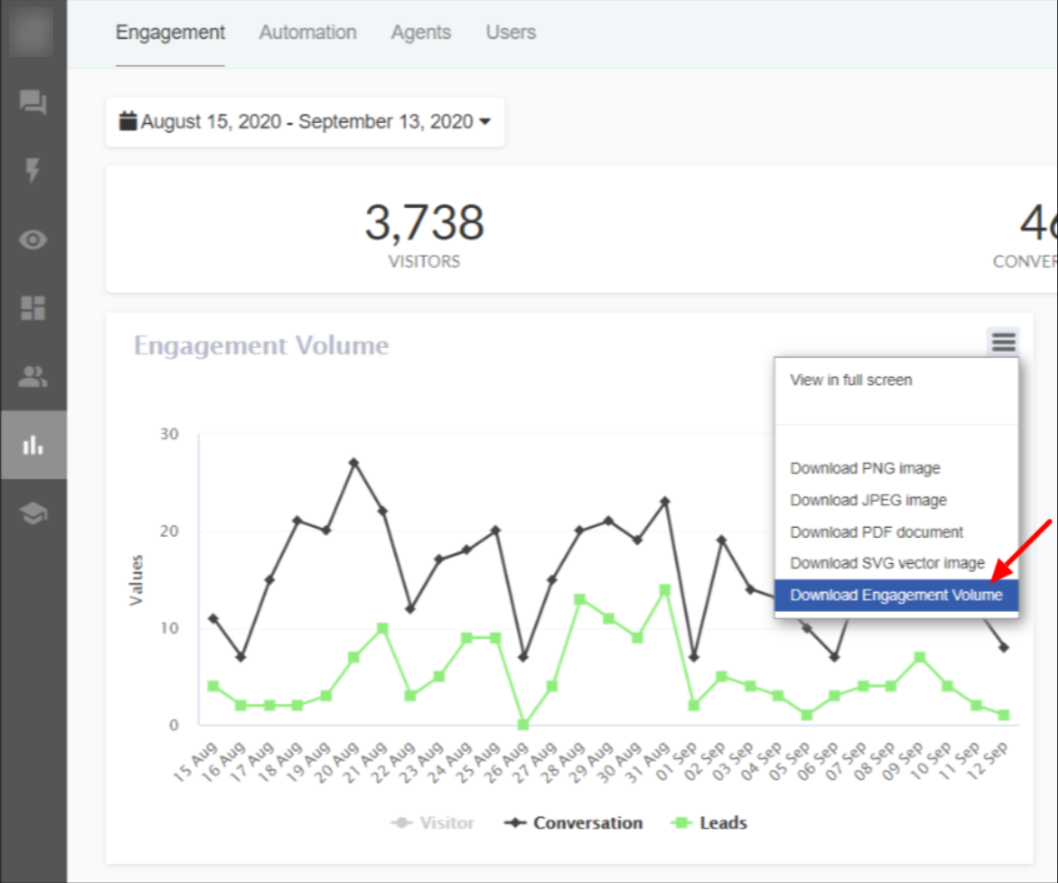
How to download Engagement volume?
-Go to Analytics Section in the platform
-Under the Engagement tab select the start and end date.
-Click on Options tab  on the Engagement Volume graph.
-Select the Download Engagement Volume option to download.

Published by Chatbot