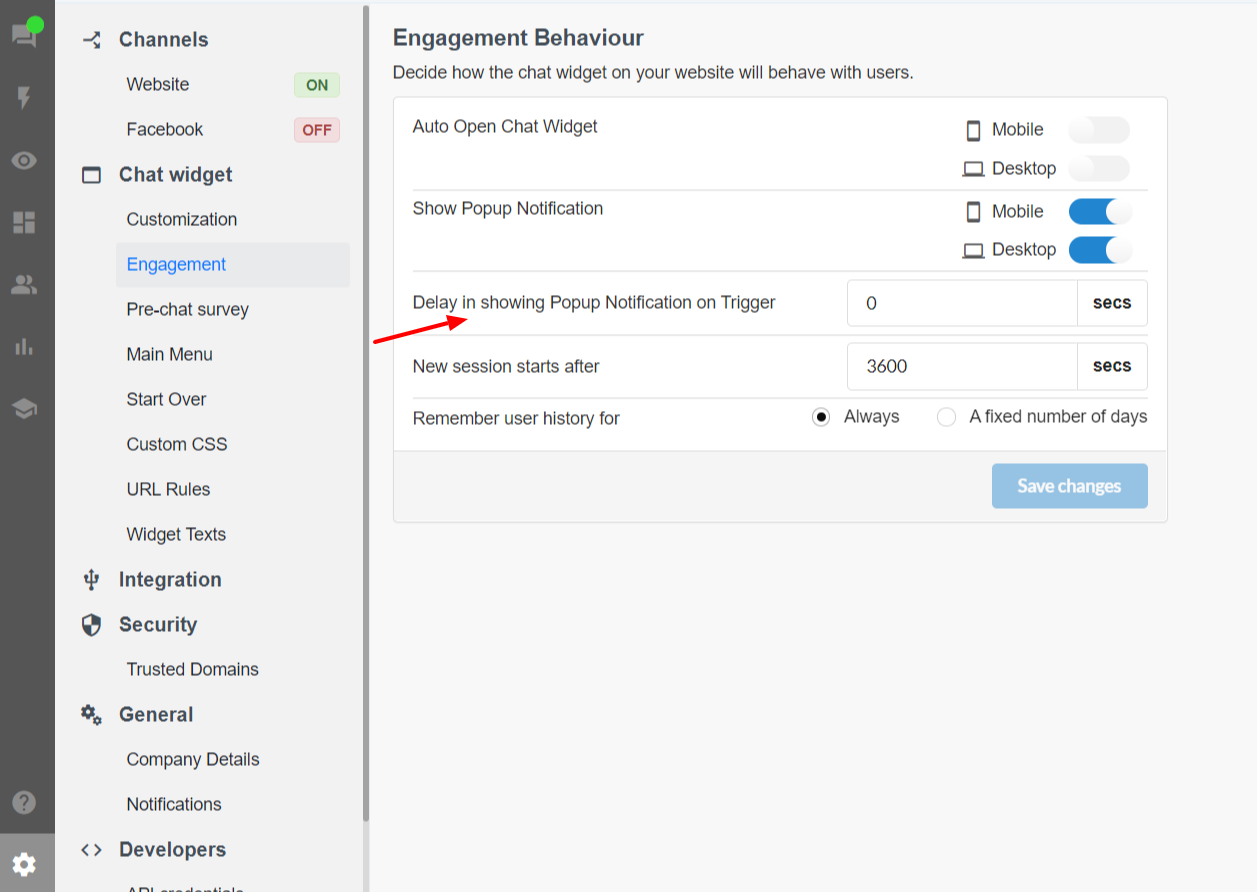
Popup notification delay - trigger message
1599471300001
What’s the Problem?
The admin can set a delay in chat widget popup notification which allows their website visitors to explore the website for a pre-defined time before the chatbot shows a trigger message to engage the user.
Earlier if the visitor doesn’t wait for the trigger message and interacts with the chatbot right away, then the trigger message was not present in the chat at that time which takes away the purpose of the trigger message of engaging the users with a relevant message showing that how your business could help them.
What’s New?
With this new fix, now the trigger message will be in the chat even if the visitor interacts with the bot well before the trigger message popups after the set delay.
How to set Delay?
Go to Settings > Chat Widget > Engagement > Delay in showing popup notification trigger