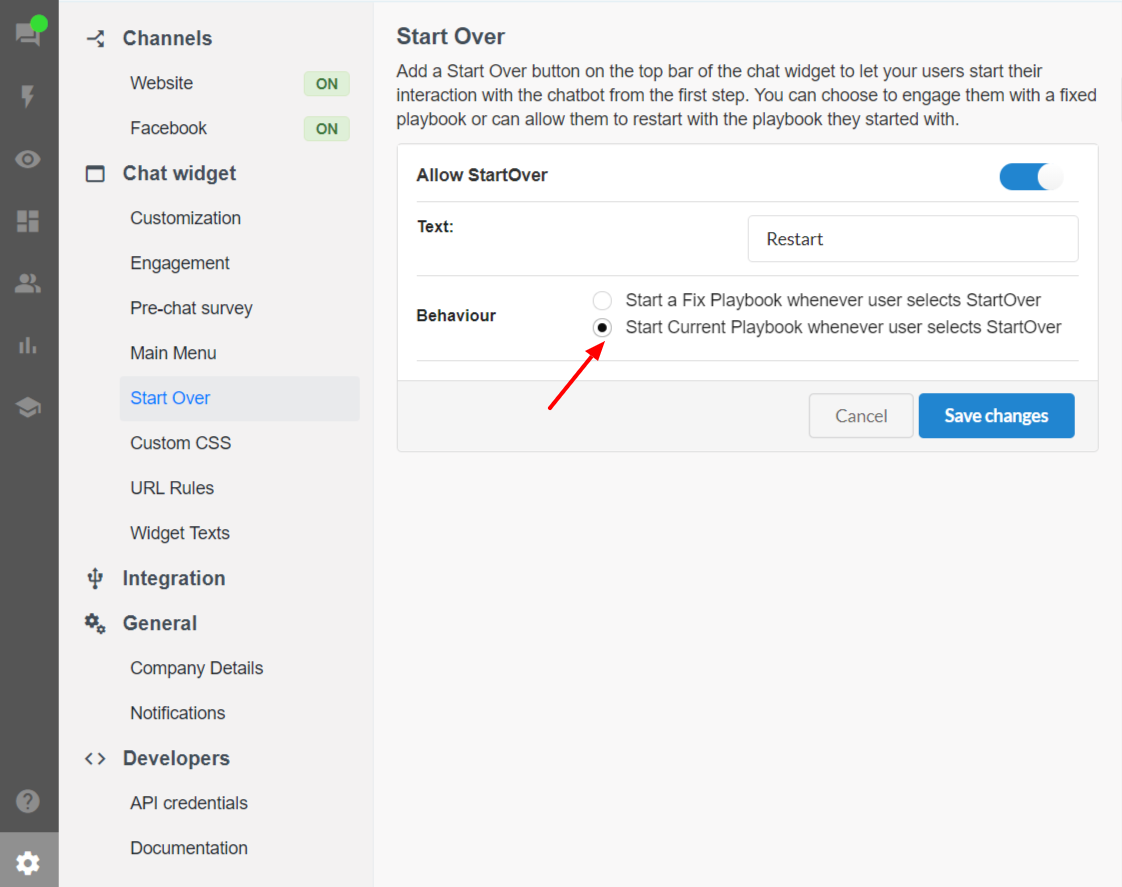
Start over - Start from current playbook
1600078500001
What’s the problem?
In our earlier release of Start Over feature, the users only have the option to select a FIXED playbook from where they want the conversation to restart.
As more complex conversational flows involves making multiple playbooks and then connecting them with each other, it will help the end user experience if they don’t have to start from the top on selecting start over and are only re-directed to the start of the playbook they are on in the conversational flow dynamically.
What’s New?
With this new improvement in the feature, now the users have a more dynamic option with an option to select to start over the conversation from the current playbook the engaging visitor is on.
How to configure Start over?
To configure the start over settings:
-Go to Settings in the platform.
-Go to Start Over under Chat Widget section.
-Click on Allow Start Over button
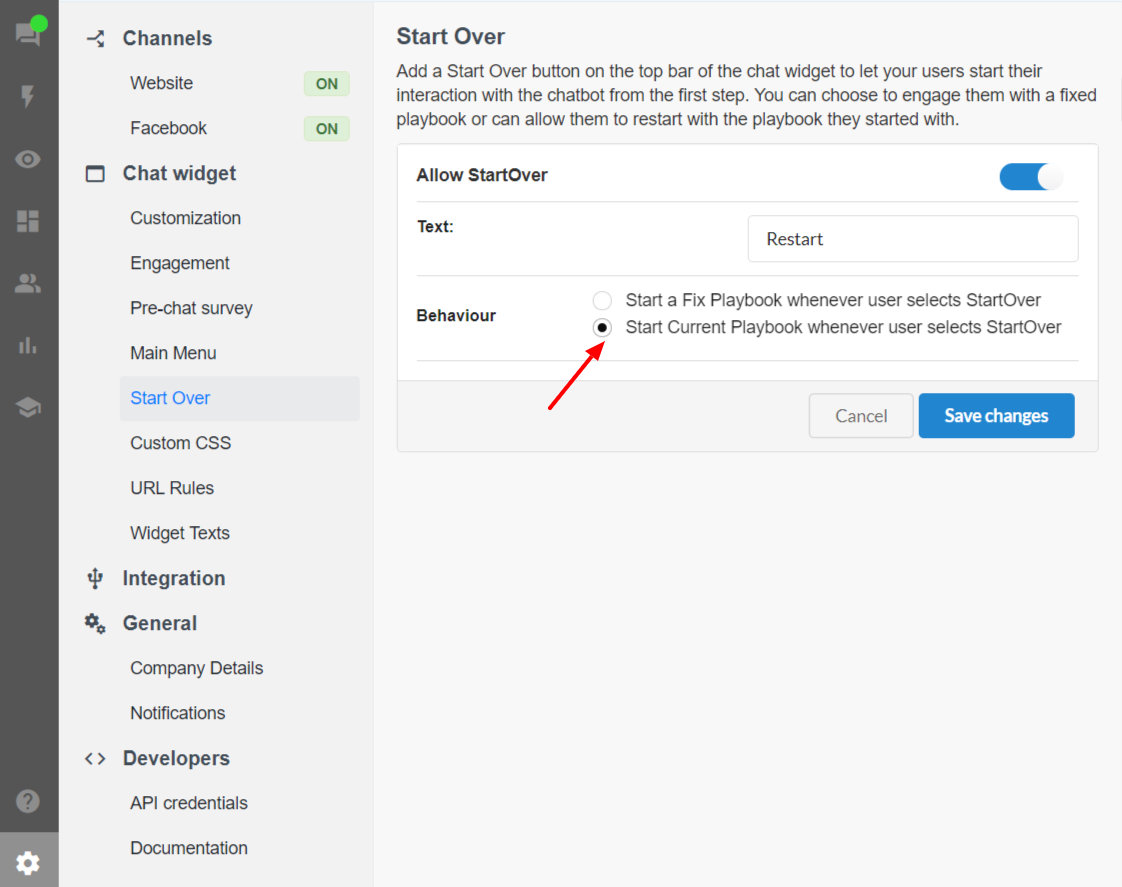
-Enter the display text and select the Behaviour of the Start over as Start Current Playbook