
URL Rules - Show/Hide and Define Left/Right Position of chatbot
1597751700001
New
Feature
What is the problem
Sometimes, you would want to
- HIDE the chatbot on some pages
- Move your chatbot to the LEFT
What’s New
We are releasing a new feature ‘URL Rules’.This feature allows the users to define the position of the chatbot widget (left, right or default) differently on different URLs. They can also choose to show or hide the chat widget on the basis of URL.
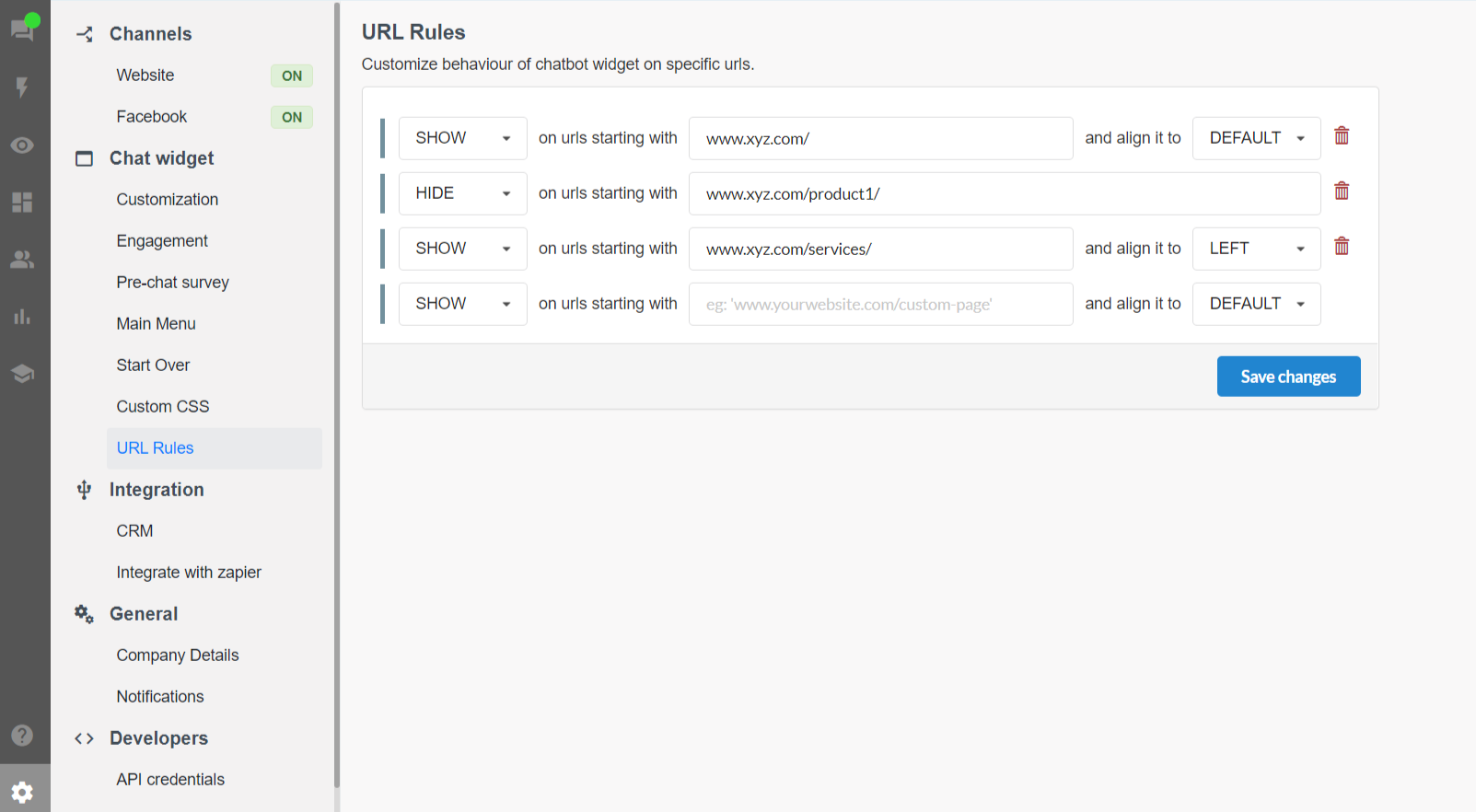
How to manage URL Rules
To perform these customization follow these steps
- Go to Settings
- Click on URL Rules under Chat Widget section.
- Configure the URLs and select Show/Hide and Left/Right settings for different URLs.

Published by Chatbot